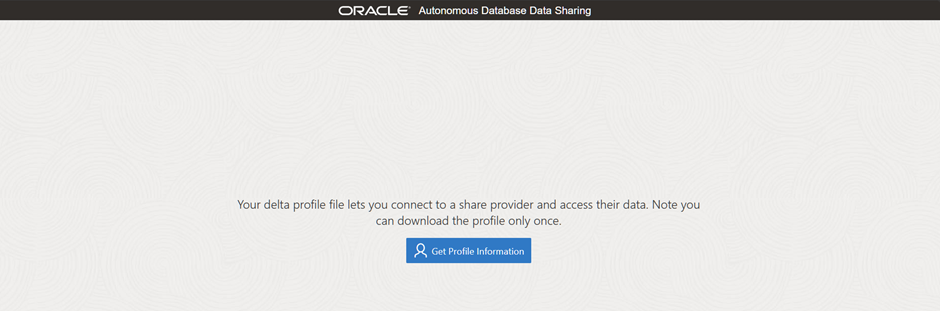
In this blogpost we will see about how to consume the
data in the available data share as recipient
On the target database (in this blogpost, It will be
Autonomous datawarehouse(ADW) instance) create a database user (called
SHARE_CONSUMER) that will be used to consume the data share that the
SHARE_PROVIDER schema user created and shared with TRAINING_USER recipient, we
chose to separate the SHARE_PROVIDER
schema from the SHARE_CONSUMER schema to simulate the real use-case of data
sharing between provider and consumer.
In the target database, create the user account and
grant required privileges.
admin@ADW19C> select
banner_full from v$version;
BANNER_FULL
--------------------------------------------------------------------
Oracle Database 19c Enterprise Edition Release 19.0.0.0.0 - Production
Version 19.23.0.1.0
admin@ADW19C> select json_value(
cloud_identity, '$.SERVICE' returning varchar2(10) ) services from v$pdbs;
SERVICES
----------
ADW
admin@ADW19C> create user
share_consumer identified by "Good2go1234!";
User created.
admin@ADW19C> grant
connect,resource,dwrole,unlimited tablespace to share_consumer;
Grant succeeded.
And REST enable the schema along with privileges for
data sharing.
admin@ADW19C> ---
admin@ADW19C> --- Enable REST endpoints
admin@ADW19C> ---
admin@ADW19C> begin
2 ords_admin.enable_schema(
3 p_schema =>'SHARE_CONSUMER',
4 p_enabled => true,
5 p_url_mapping_type => 'BASE_PATH',
6 p_url_mapping_pattern => 'share_consumer',
7 p_auto_rest_auth => true);
8 end;
9 /
PL/SQL procedure successfully
completed.
admin@ADW19C> ---
admin@ADW19C> --- Enable DATA sharing
admin@ADW19C> ---
admin@ADW19C>
admin@ADW19C> begin
2 dbms_share.enable_schema(
3 schema_name =>'SHARE_CONSUMER',
4 enabled=>true );
5 end;
6 /
PL/SQL procedure successfully
completed.
To consume a data share, a recipient user must have
the required network connection to access the SHARE_PROVIDER user host machine
that contains the data share using Port 443. This is a virtual port used for
secure internet network traffic and connection purposes using the HTTPS secure
protocol. In order to set the ACL on the host machine for the recipient, you as
the admin user (or some other privileged user) will need the host machine
endpoint value which you can find in the downloaded JSON profile file from the previous
blogpost, listed below.
{
"shareCredentialsVersion": 1,
"endpoint": "https://g26be7c92912cdb-atpdemo19c.adb.us-ashburn-1.oraclecloudapps.com/ords/share_provider/_delta_sharing",
"tokenEndpoint": "https://g26be7c92912cdb-atpdemo19c.adb.us-ashburn-1.oraclecloudapps.com/ords/share_provider/oauth/token",
"bearerToken": "VfvFNjOWkt19MN4xfRgLMw",
"expirationTime": "2024-04-10T05:54:00.102Z",
"clientID": "Dbpdim8hNYgzYUKbxceUpw..",
"clientSecret": "PUiThll6LC5vkuLbKmDhew.."
}
The ENDPOINT value where the data share is located is
as follows.
https://g26be7c92912cdb-atpdemo19c.adb.us-ashburn-1.oraclecloudapps.com/ords/share_provider/_delta_sharing
from the above ENDPOINT value, copy the endpoint URL
upto only the oraclecloudapps.com and remove anything after that. So in our
demo we will use this as host value to setup ACL entries.
admin@ADW19C> ---
admin@ADW19C> --- granting the access privileges to the share providers host
admin@ADW19C> ---
admin@ADW19C>
admin@ADW19C> begin
2 dbms_network_acl_admin.append_host_ace(
3 host => 'g26be7c92912cdb-atpdemo19c.adb.us-ashburn-1.oraclecloudapps.com',
4 lower_port => 443 ,
5 upper_port => 443 ,
6 ace => xs$ace_type(
7 privilege_list => xs$name_list('http', 'http_proxy'),
8 principal_name => upper('DWROLE'),
9 principal_type => xs_acl.ptype_db)
10 ) ;
11 end;
12 /
PL/SQL procedure successfully
completed.
Next to create access credential for data share, we
need to login as SHARE_CONSUMER user and use the profile downloaded from the
previous blogpost will be used here.
share-consumer@ADW19C>
declare
2 l_clob clob;
3 l_delta_profile clob;
4 l_credential_base_name varchar2(80) := 'DEMO_PROVIDER2';
5 begin
6 l_delta_profile := q'# {
7 "shareCredentialsVersion": 1,
8 "endpoint": "https://g26be7c92912cdb-atpdemo19c.adb.us-ashburn-1.oraclecloudapps.com/ords/share_provider/_delta_sharing",
9 "tokenEndpoint": "https://g26be7c92912cdb-atpdemo19c.adb.us-ashburn-1.oraclecloudapps.com/ords/share_provider/oauth/token",
10 "bearerToken": "VfvFNjOWkt19MN4xfRgLMw",
11 "expirationTime": "2024-04-10T05:54:00.102Z",
12 "clientID": "Dbpdim8hNYgzYUKbxceUpw..",
13 "clientSecret": "PUiThll6LC5vkuLbKmDhew.."
14 } #' ;
15
16 l_clob := dbms_share.create_credentials(
17 credential_base_name => l_credential_base_name,
18 delta_profile => l_delta_profile );
19
20 end;
21 /
PL/SQL procedure successfully
completed.
share-consumer@ADW19C>
select credential_name
2 from user_credentials
3 where credential_name like 'DEMO_PROVIDER2%';
CREDENTIAL_NAME
-----------------------------------------------------
DEMO_PROVIDER2$SHARE_CRED
DEMO_PROVIDER2$SHARE_CRED$TOKEN_REFRESH_CRED
To create a table on top of the data share object, the
recipient needs to get the list of the schemas and tables being shared. we can
use the DISCOVER_AVAILABLE_TABLES table function to get this list.
share-consumer@ADW19C>
select share_name, schema_name,table_name
2 from dbms_share.discover_available_tables(
3 endpoint => 'https://g26be7c92912cdb-atpdemo19c.adb.us-ashburn-1.oraclecloudapps.com/ords/share_provider/_delta_sharing',
4 credential_name => 'DEMO_PROVIDER2$SHARE_CRED' );
SHARE_NAME SCHEMA_NAME TABLE_NAME
-------------------- -------------------- --------------------
DEMO_SHARE SHARE_PROVIDER BIG_TABLE
For the repeated access to the available data share
and tables in the share, subscribe to the data share provider by creating new
share provider name.
share-consumer@ADW19C>
begin
2 dbms_share.create_share_provider(
3 provider_name => 'MY_DEMO_PROVIDER',
4 endpoint => 'https://g26be7c92912cdb-atpdemo19c.adb.us-ashburn-1.oraclecloudapps.com/ords/share_provider/_delta_sharing' );
5 end;
6 /
PL/SQL procedure successfully
completed.
Specify the credentials needed to access the data
share endpoint.
share-consumer@ADW19C>
begin
2 dbms_share.set_share_provider_credential(
3 provider_name => 'MY_DEMO_PROVIDER',
4 share_credential => 'DEMO_PROVIDER2$SHARE_CRED' );
5 end;
6 /
PL/SQL procedure successfully
completed.
Query the available shares for this provider
share-consumer@ADW19C>
select * from dbms_share.discover_available_shares(share_provider=>
'MY_DEMO_PROVIDER');
PROVIDER_NAME PROVIDER_OWNER AVAILABLE_ CREATED UPDATED
-------------------- -------------------- ---------- ------------------------------ ------------------------------
MY_DEMO_PROVIDER SHARE_CONSUMER DEMO_SHARE 10-APR-24 10.35.07.911386 AM 10-APR-24 10.35.07.911386 AM
Query the available tables in the data share
share-consumer@ADW19C>
select schema_name , table_name
2 from dbms_share.discover_available_tables(
3 share_provider=> 'MY_DEMO_PROVIDER',
4 share_name => 'DEMO_SHARE');
SCHEMA_NAME TABLE_NAME
-------------------- --------------------
SHARE_PROVIDER BIG_TABLE
Creating a new share link and view using the data
share table.
share-consumer@ADW19C>
begin
2 dbms_share.create_or_replace_share_link(
3 share_link_name =>'MY_SALES_DATA',
4 share_provider => 'MY_DEMO_PROVIDER',
5 share_name => 'DEMO_SHARE' );
6 end;
7 /
PL/SQL procedure successfully
completed.
Use the new share link to create a view over the
shared table.
share-consumer@ADW19C>
begin
2 dbms_share.create_share_link_view(
3 view_name => 'CUST_SALES_VW',
4 share_link_name => 'MY_SALES_DATA',
5 share_schema_name => 'SHARE_PROVIDER',
6 share_table_name => 'BIG_TABLE' );
7 end;
8 /
PL/SQL procedure successfully
completed.
share-consumer@ADW19C>
desc CUST_SALES_VW
Name Null? Type
----------------------------------- -------- -------------------------
OWNER VARCHAR2(128)
OBJECT_NAME VARCHAR2(128)
SUBOBJECT_NAME VARCHAR2(128)
OBJECT_ID NUMBER
DATA_OBJECT_ID NUMBER
OBJECT_TYPE VARCHAR2(23)
CREATED DATE
LAST_DDL_TIME DATE
TIMESTAMP VARCHAR2(19)
STATUS VARCHAR2(7)
TEMPORARY VARCHAR2(1)
GENERATED VARCHAR2(1)
SECONDARY VARCHAR2(1)
NAMESPACE NUMBER
EDITION_NAME VARCHAR2(128)
SHARING VARCHAR2(18)
EDITIONABLE VARCHAR2(1)
ORACLE_MAINTAINED VARCHAR2(1)
APPLICATION VARCHAR2(1)
DEFAULT_COLLATION VARCHAR2(100)
DUPLICATED VARCHAR2(1)
SHARDED VARCHAR2(1)
CREATED_APPID NUMBER
CREATED_VSNID NUMBER
MODIFIED_APPID NUMBER
MODIFIED_VSNID NUMBER
ID NUMBER
share-consumer@ADW19C>
select count(*) from CUST_SALES_VW;
COUNT(*)
----------
1000000
--------------------------------------------------------------------
Oracle Database 19c Enterprise Edition Release 19.0.0.0.0 - Production
Version 19.23.0.1.0
----------
ADW
admin@ADW19C> --- Enable REST endpoints
admin@ADW19C> ---
admin@ADW19C> begin
2 ords_admin.enable_schema(
3 p_schema =>'SHARE_CONSUMER',
4 p_enabled => true,
5 p_url_mapping_type => 'BASE_PATH',
6 p_url_mapping_pattern => 'share_consumer',
7 p_auto_rest_auth => true);
8 end;
9 /
admin@ADW19C> --- Enable DATA sharing
admin@ADW19C> ---
admin@ADW19C>
admin@ADW19C> begin
2 dbms_share.enable_schema(
3 schema_name =>'SHARE_CONSUMER',
4 enabled=>true );
5 end;
6 /
"shareCredentialsVersion": 1,
"endpoint": "https://g26be7c92912cdb-atpdemo19c.adb.us-ashburn-1.oraclecloudapps.com/ords/share_provider/_delta_sharing",
"tokenEndpoint": "https://g26be7c92912cdb-atpdemo19c.adb.us-ashburn-1.oraclecloudapps.com/ords/share_provider/oauth/token",
"bearerToken": "VfvFNjOWkt19MN4xfRgLMw",
"expirationTime": "2024-04-10T05:54:00.102Z",
"clientID": "Dbpdim8hNYgzYUKbxceUpw..",
"clientSecret": "PUiThll6LC5vkuLbKmDhew.."
}
admin@ADW19C> --- granting the access privileges to the share providers host
admin@ADW19C> ---
admin@ADW19C>
admin@ADW19C> begin
2 dbms_network_acl_admin.append_host_ace(
3 host => 'g26be7c92912cdb-atpdemo19c.adb.us-ashburn-1.oraclecloudapps.com',
4 lower_port => 443 ,
5 upper_port => 443 ,
6 ace => xs$ace_type(
7 privilege_list => xs$name_list('http', 'http_proxy'),
8 principal_name => upper('DWROLE'),
9 principal_type => xs_acl.ptype_db)
10 ) ;
11 end;
12 /
2 l_clob clob;
3 l_delta_profile clob;
4 l_credential_base_name varchar2(80) := 'DEMO_PROVIDER2';
5 begin
6 l_delta_profile := q'# {
7 "shareCredentialsVersion": 1,
8 "endpoint": "https://g26be7c92912cdb-atpdemo19c.adb.us-ashburn-1.oraclecloudapps.com/ords/share_provider/_delta_sharing",
9 "tokenEndpoint": "https://g26be7c92912cdb-atpdemo19c.adb.us-ashburn-1.oraclecloudapps.com/ords/share_provider/oauth/token",
10 "bearerToken": "VfvFNjOWkt19MN4xfRgLMw",
11 "expirationTime": "2024-04-10T05:54:00.102Z",
12 "clientID": "Dbpdim8hNYgzYUKbxceUpw..",
13 "clientSecret": "PUiThll6LC5vkuLbKmDhew.."
14 } #' ;
15
16 l_clob := dbms_share.create_credentials(
17 credential_base_name => l_credential_base_name,
18 delta_profile => l_delta_profile );
19
20 end;
21 /
2 from user_credentials
3 where credential_name like 'DEMO_PROVIDER2%';
-----------------------------------------------------
DEMO_PROVIDER2$SHARE_CRED
DEMO_PROVIDER2$SHARE_CRED$TOKEN_REFRESH_CRED
2 from dbms_share.discover_available_tables(
3 endpoint => 'https://g26be7c92912cdb-atpdemo19c.adb.us-ashburn-1.oraclecloudapps.com/ords/share_provider/_delta_sharing',
4 credential_name => 'DEMO_PROVIDER2$SHARE_CRED' );
-------------------- -------------------- --------------------
DEMO_SHARE SHARE_PROVIDER BIG_TABLE
2 dbms_share.create_share_provider(
3 provider_name => 'MY_DEMO_PROVIDER',
4 endpoint => 'https://g26be7c92912cdb-atpdemo19c.adb.us-ashburn-1.oraclecloudapps.com/ords/share_provider/_delta_sharing' );
5 end;
6 /
2 dbms_share.set_share_provider_credential(
3 provider_name => 'MY_DEMO_PROVIDER',
4 share_credential => 'DEMO_PROVIDER2$SHARE_CRED' );
5 end;
6 /
-------------------- -------------------- ---------- ------------------------------ ------------------------------
MY_DEMO_PROVIDER SHARE_CONSUMER DEMO_SHARE 10-APR-24 10.35.07.911386 AM 10-APR-24 10.35.07.911386 AM
2 from dbms_share.discover_available_tables(
3 share_provider=> 'MY_DEMO_PROVIDER',
4 share_name => 'DEMO_SHARE');
-------------------- --------------------
SHARE_PROVIDER BIG_TABLE
2 dbms_share.create_or_replace_share_link(
3 share_link_name =>'MY_SALES_DATA',
4 share_provider => 'MY_DEMO_PROVIDER',
5 share_name => 'DEMO_SHARE' );
6 end;
7 /
2 dbms_share.create_share_link_view(
3 view_name => 'CUST_SALES_VW',
4 share_link_name => 'MY_SALES_DATA',
5 share_schema_name => 'SHARE_PROVIDER',
6 share_table_name => 'BIG_TABLE' );
7 end;
8 /
Name Null? Type
----------------------------------- -------- -------------------------
OWNER VARCHAR2(128)
OBJECT_NAME VARCHAR2(128)
SUBOBJECT_NAME VARCHAR2(128)
OBJECT_ID NUMBER
DATA_OBJECT_ID NUMBER
OBJECT_TYPE VARCHAR2(23)
CREATED DATE
LAST_DDL_TIME DATE
TIMESTAMP VARCHAR2(19)
STATUS VARCHAR2(7)
TEMPORARY VARCHAR2(1)
GENERATED VARCHAR2(1)
SECONDARY VARCHAR2(1)
NAMESPACE NUMBER
EDITION_NAME VARCHAR2(128)
SHARING VARCHAR2(18)
EDITIONABLE VARCHAR2(1)
ORACLE_MAINTAINED VARCHAR2(1)
APPLICATION VARCHAR2(1)
DEFAULT_COLLATION VARCHAR2(100)
DUPLICATED VARCHAR2(1)
SHARDED VARCHAR2(1)
CREATED_APPID NUMBER
CREATED_VSNID NUMBER
MODIFIED_APPID NUMBER
MODIFIED_VSNID NUMBER
ID NUMBER
----------
1000000